Bedtime, on autopilot.
A native macOS menu bar timer that puts your Mac to sleep when you do, to a podcast, a TV show, a movie, or your favorite album.

macOS Tahoe 26 or later · v3.0
A native macOS menu bar timer that puts your Mac to sleep when you do, to a podcast, a TV show, a movie, or your favorite album.
macOS Tahoe 26 or later · v3.0
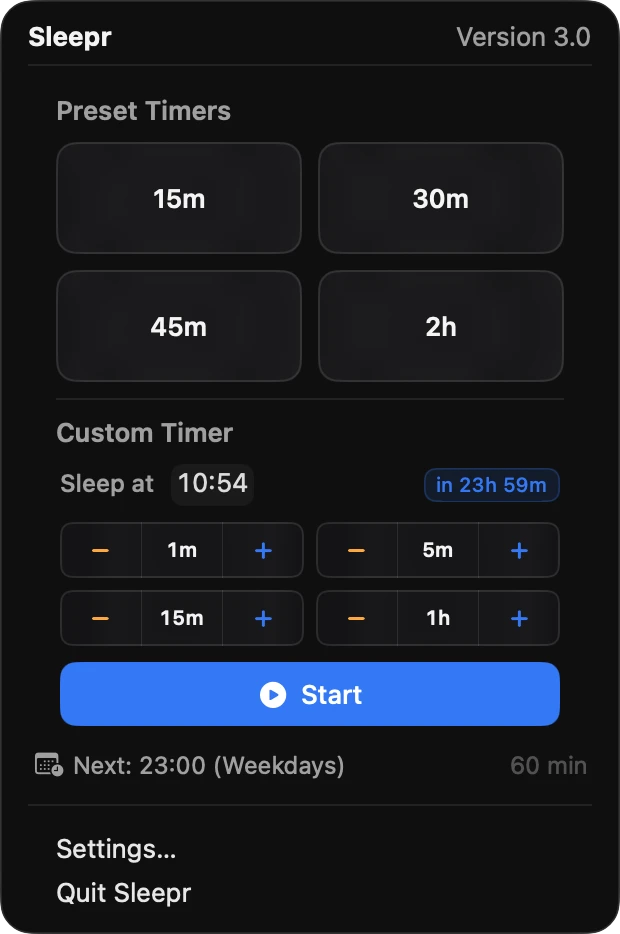
Quick presets
Four customizable presets, one click away. Or pick the exact time you want your Mac to sleep. Sleepr handles the math, midnight included.
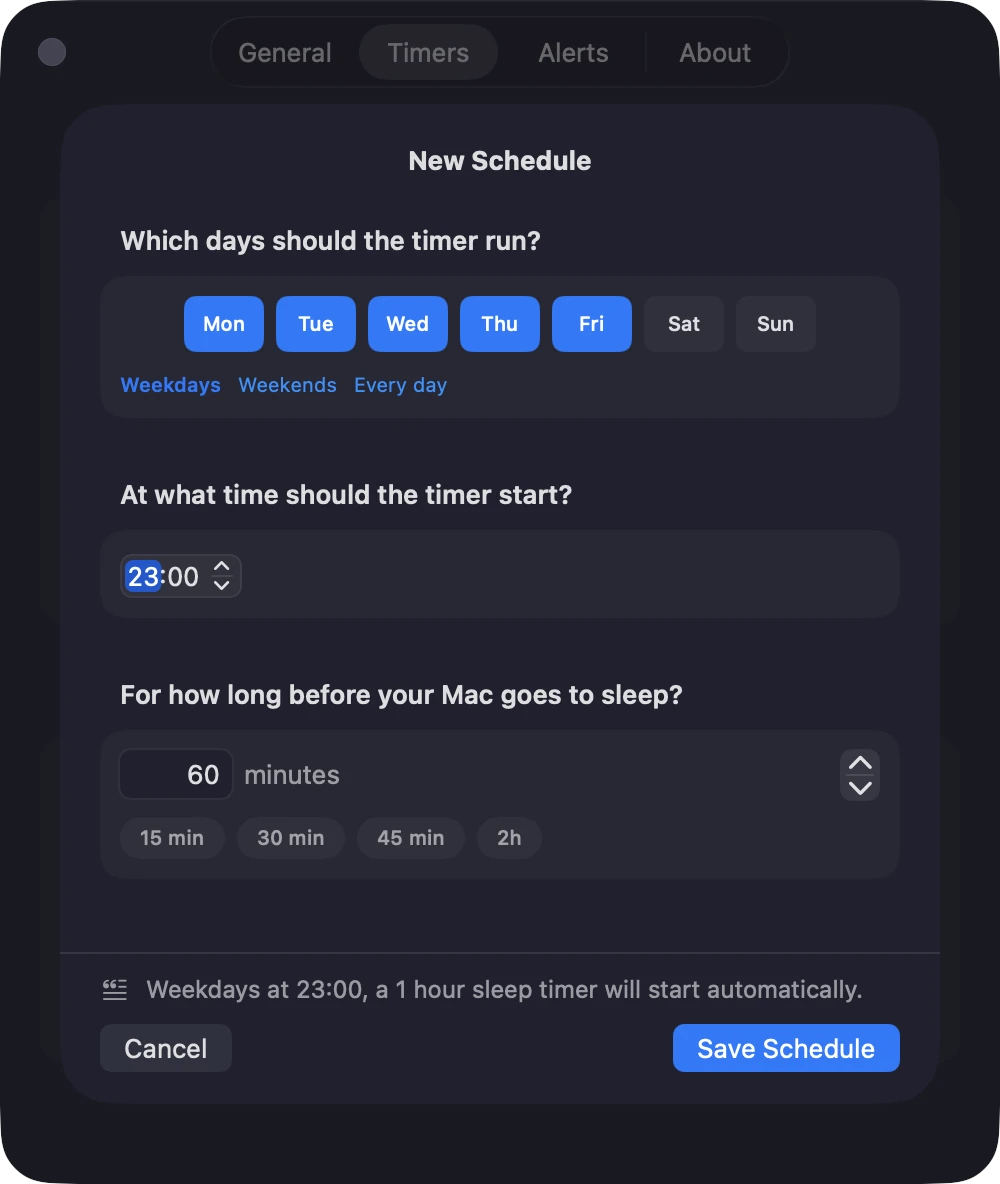
Recurring schedules
"Every weeknight at 11, run a 60-minute timer." Sleepr starts the matching timer automatically: pick days, time, and duration in three taps.
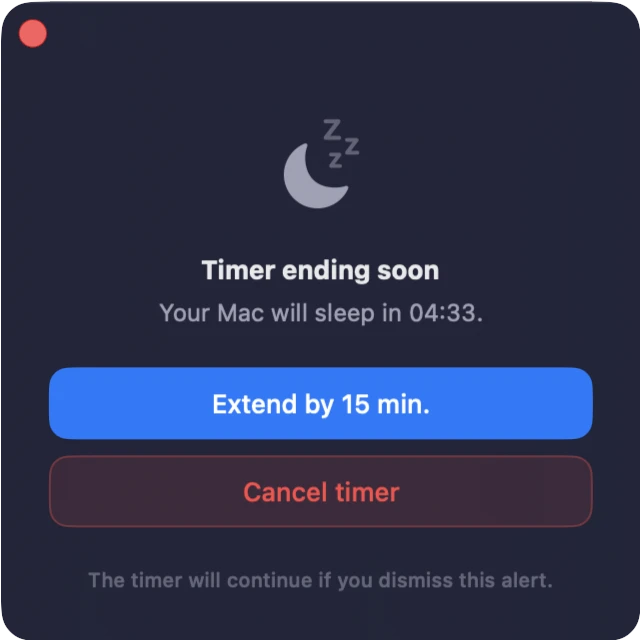
Floating alert
A HUD-style alert floats above whatever you're watching, even fullscreen apps, a few minutes before the timer ends. Extend, cancel, or let it ride.
Hey Siri, start a 45-minute sleep timer in Sleepr.
Hey Siri, set Sleepr to sleep at a time.
Hey Siri, how much time left on Sleepr?
Hey Siri, stop the sleep timer in Sleepr.
Shortcuts & Siri
Four App Intents put Sleepr in Siri, Shortcuts, and Focus automations: start a timer, set a bedtime, check the countdown, or stop it, all by voice.
Survive app quits and reboots: the countdown picks up where it left off.
See the timer at a glance: a depleting ring, a waning moon, or a shrinking pie.
English, French, German, Spanish, Italian, Japanese, Korean, Portuguese, and Chinese.
From the Mac App Store
“Finally a modern and supported Sleep Timer App.”
“Simple, easy to use, custom timers, lovely menubar icon.”
“A great little program that I use daily.”
“Sleek and effective. Perfect app.”
“Thanks for a SUPER GREAT app!”
“Indispensable.”
Real reviews from the Mac App Store.
Private by design
Download and go. There's nothing to sign up for.
No analytics, no telemetry, no third parties. The app phones nothing home.
Your settings stay in macOS, on your machine. There's no server.
FAQ
No. Sleepr is a one-time purchase on the Mac App Store. No subscription, no account, no in-app purchases.
macOS used to offer scheduled sleep in Energy Saver, but Apple removed it from System Settings in Ventura. Sleepr brings it back and goes further: on-demand timers (“sleep in 45 minutes”), recurring bedtimes, a heads-up alert before sleep, and one-click control from the menu bar or Siri.
No. Sleepr triggers a normal system sleep, the same as choosing Sleep from the Apple menu. Your apps stay open and your work is untouched.
Yes. A floating alert appears a few minutes before (you choose how many), so you can extend or cancel, even over fullscreen apps.
No. No analytics, no account, no cloud, no server. Everything stays on your Mac.
macOS Tahoe 26 or later.
On the Mac App Store. No account, no tracking, no cloud, just a quiet timer in your menu bar.
macOS Tahoe 26 or later